PROMPT GUIDE
How to Make an AI Video Loop (Tips to Hide the Seam)
For social media icons, phone wallpapers and website backgrounds, a "loop video" whose end flows naturally back to its start is very handy. This guide explains three ways to make loops with AI video generation and how to write prompts that hide the seam.
Last updated: approx. 3 min read
The short answer
To make an AI video loop, you can (1) use the same image for the first and last frame, (2) play the motion back and forth (join a reversed copy), or (3) keep only small motions like hair or light. If your tool lets you set the last frame, (1) gives the cleanest result. Whether a feature exists depends on the tool and version, so check the official docs.
How do you make an AI video loop? (Three ways)
Choose from three: match the start and end, play it back and forth, or keep the motion small.
How do you match the first and last frames?
If your tool lets you set the last frame (the ending image), putting the same image as the first is the cleanest.
Some image-to-video tools let you set not only the first image but also the last. Using the same image for both makes the end flow naturally back to the start, so the seam is almost invisible. Whether this feature exists and what it is called differs by tool and version, so check the official docs of the tool you use. Writing the motion as a round trip, such as "does something midway and returns to the original pose", makes it easier to match.

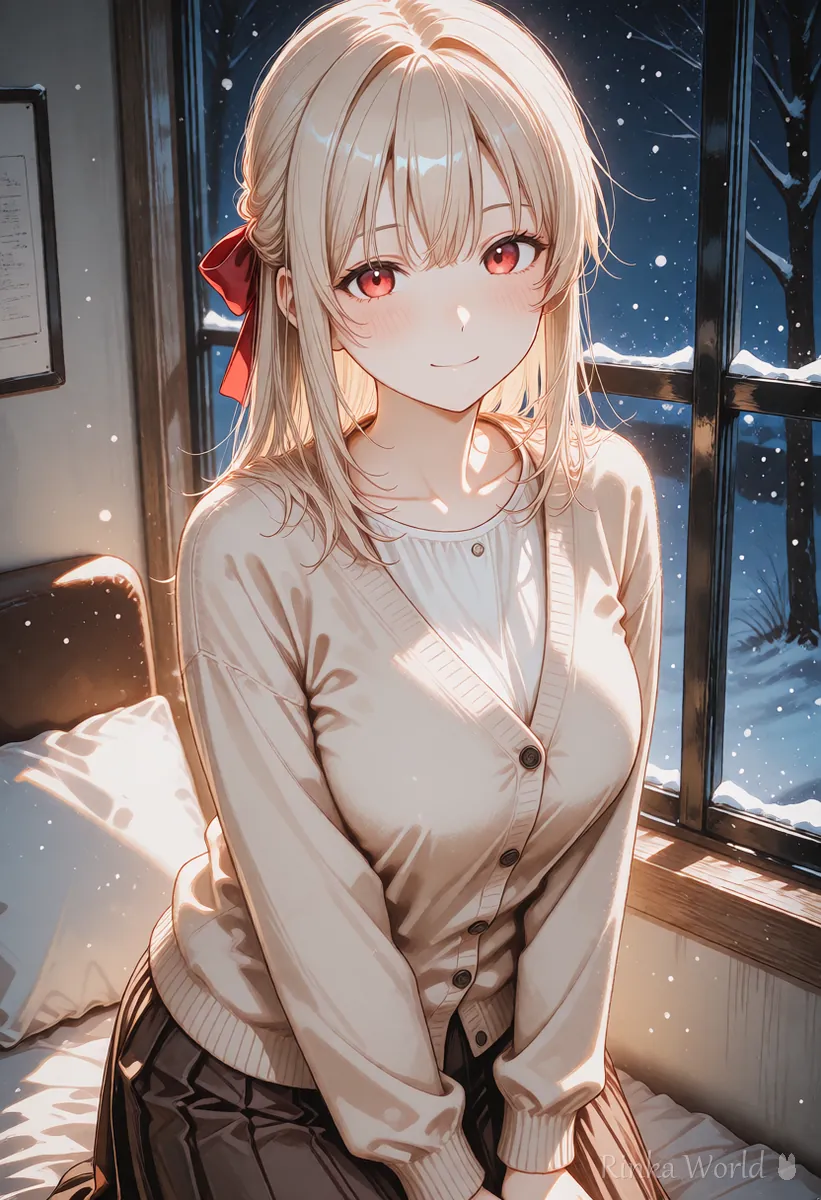
How do you make a loop video?
Steps to make one loop video
- Prepare a first image that looks good even with small motion (one with moving elements such as windblown hair, light or snow)
- Write the prompt with just one motion, and keep the camera static
- If your tool lets you set the last frame, use the same image as the first
- Play the finished video twice in a row and check that it does not jump at the seam
- If the seam shows, join a reversed copy in a video editor (back and forth), or overlap the end and start slightly
- For social media, cut it short (a few seconds) to keep it light
How do you write a loop-friendly prompt?
Keep the camera fixed and write just one small motion that repeats.
In a loop video, a moving camera makes the first and last frames differ. Write camera is static, and choose one thing to move that looks natural when repeated, such as hair, clothes, light, or snow and petals in the background. Large movements of the person (walking, turning around) tend to make the start and end differ, so they do not suit loops.
What are the common mistakes and fixes?
Rinka's tips
- The biggest tip for loops is not to move too much: one motion, fixed camera
- Rain and falling leaves look like they go back up when reversed, so do not use them for back-and-forth joins
- Playing the finished video twice in a row makes it easier to notice an awkward seam
Copy-paste prompts
Examples of motion instructions for image-to-video, with a plain-language explanation after each.
The camera is static. Her long hair sways gently in the wind and settles back to its original position. Soft petals drift in the background.(Meaning) Fixed camera. Her long hair sways softly in the wind and returns to where it was. Petals drift gently in the background.
The camera is static. She blinks slowly once and keeps a gentle smile. Snowflakes fall softly behind her. Calm, looping motion.(Meaning) Fixed camera. She blinks slowly once and keeps a gentle smile. Snow falls quietly behind her. A calm, repeating motion.
The basic workflow for turning an image into a video: How to Use Image-to-Video AI (Steps to Animate a Still Image) →
How to write prompts for video generation: How to Write AI Video Prompts (Motion, Camera and Time) →
Fixing AI videos that distort or flicker: Why AI Videos Break and How to Fix Them →
How to make vertical short videos for social media: How to Make Vertical Short Videos (9:16) with AI →
FAQ
Frequently Asked Questions
What is the cleanest way to loop an AI video?
Use a tool that lets you set the last frame and put the same image as the first. Whether the feature exists and what it is called differs by tool, so check the official docs.
What if I cannot set the last frame?
You can join a reversed copy in a video editor so it plays back and forth, or overlap the end and start slightly (crossfade).
What motions suit loops?
Small repeating motions such as swaying hair or clothes, blinking, snow or petals in the background, and flickering light. Big movements like walking or turning around do not suit loops.
Can the camera move?
For loop videos a fixed (static) camera is recommended. A moving camera makes the first and last frames differ and the seam stands out.
RINKA WORLD
Play in Rinka World
MORE




