PROMPT GUIDE
How to Make Anime-Style AI Videos (Tips for Natural Motion)
When you animate an anime-style illustration with AI, wobbly lines and changing faces stand out more than in photo-like video. Making it look like anime depends on how you pick the picture and how you describe the motion. This guide shows how to animate anime art naturally with image-to-video tools. Features and prices change, so check the official information before you start.
Last updated: approx. 3 min read
The short answer
For anime-style AI video, start from a picture with clean lines and begin with small motions such as blinking, swaying hair or a slow turn of the head. If the lines wobble, reduce both the motion and the camera movement and split the video into short shots.
How do you make an anime-style AI video?
Start from a picture with clean lines and build up from small motions.
Anime art is drawn with lines and flat colors. AI video redraws the picture as it moves, so the bigger the motion, the more the lines thicken and thin and the face changes shape. Not over-animating matters even more than with photo-like video. Combining small motions such as blinking, hair and clothes swaying and a slow turn of the head makes it look like a scene from an anime.
What are the steps to make an anime-style AI video?
Choose an easy-to-animate picture, limit it to one motion, and make several short shots.
Steps to turn an anime illustration into video
- Choose a first frame with clean lines and a fairly large face
- Check that hands are not large in the frame and the background is not cluttered
- Decide on one thing to move (a blink, swaying hair, a slow turn and so on)
- Write short English in the order motion, camera, mood, and add words that keep the anime style
- Make several short clips of a few seconds and pick the one with the most stable lines and face
- If needed, join the short clips into one video
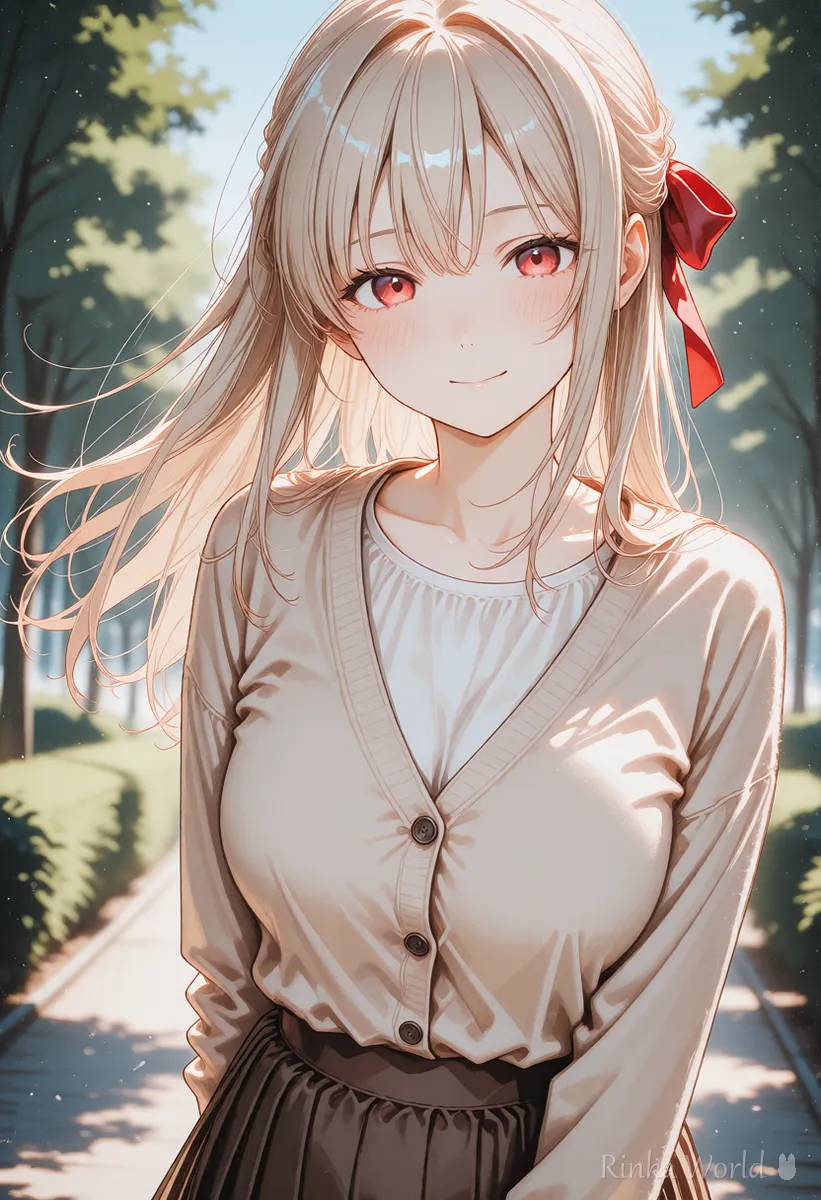
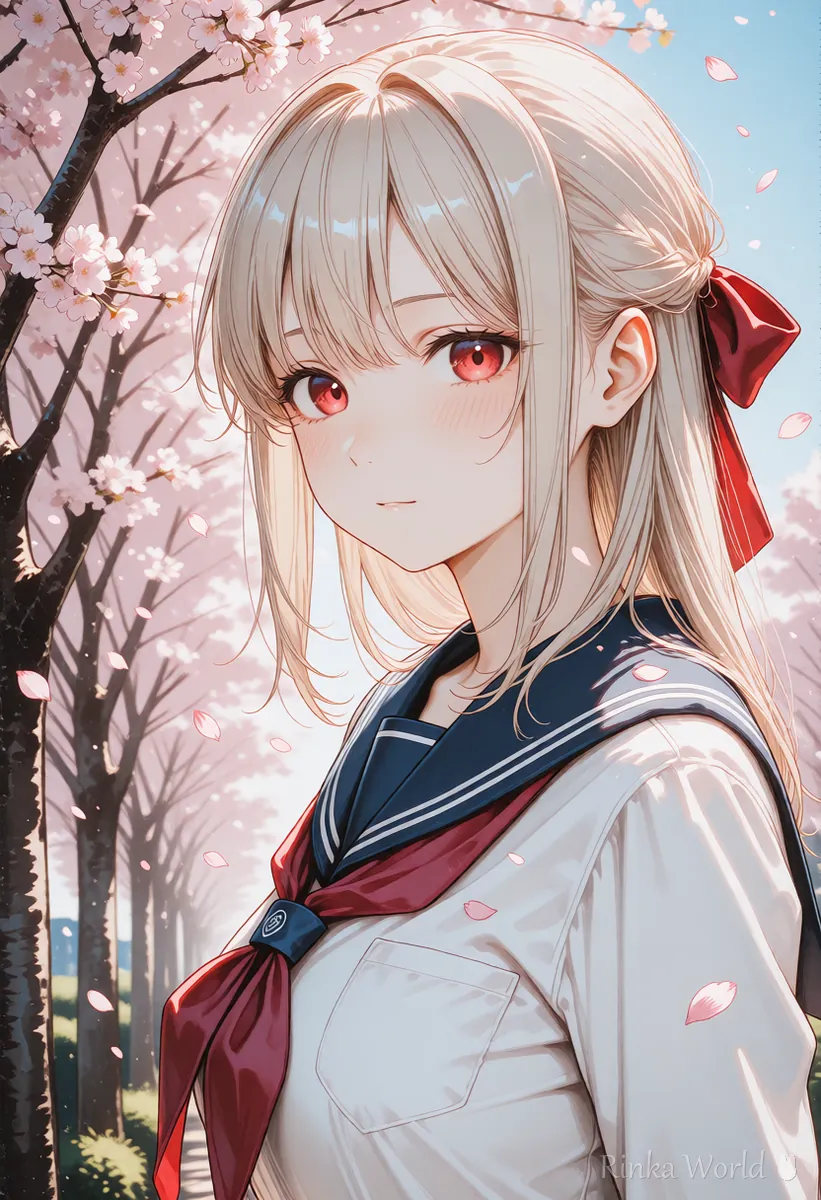
The anime girl blinks slowly and smiles, her long hair and red ribbon sway gently in the breeze. Static camera. Keep the same anime art style, clean lineart and flat colors.The girl slowly turns her head toward the camera, cherry blossom petals drift across the frame. Slow dolly in. Consistent character design, soft anime lighting.Rinka's tips
- Writing that you want the art style kept, as in "Keep the same anime art style", stops it drifting toward a photo look
- Do not move both the camera and the person a lot at the same time. Pick one
- What the first example asks for: a slow blink and a smile, hair and ribbon swaying in a breeze, a still camera, and the same anime style with clean lines and flat colors
What kind of first frame suits anime-style video?
Pictures with crisp lines, a large face and hands that do not stand out work best.
The first frame decides most of how the video looks. Heavily blurred pictures and ones full of fine patterns tend to flicker when animated. The simpler the background, the steadier it is, and the clearer the edge between person and background, the cleaner hair and clothes sway. If you want a vertical video, prepare a vertical picture from the start so you do not have to crop later.
What if the lines wobble in anime-style AI video? (Common mistakes and fixes)
The usual causes are motion that is too big, or the camera and person both moving.
The basic steps for making video from an image: How to Use Image-to-Video AI (Steps to Animate a Still Image) →
How to fix AI video problems by symptom: Why AI Videos Break and How to Fix Them →
How to write prompts for Vidu to animate anime-style art: How to Write Vidu AI Prompts →
A list of camera movement terms and what they mean: Camera Movement Prompts for AI Video Generators →
FAQ
Frequently Asked Questions
Can I turn an anime illustration into video with AI?
Yes. Put the picture into an image-to-video tool and describe the motion in short English. Starting with small motions like blinking or swaying hair keeps it from breaking.
Why do lines wobble in anime-style AI video?
Video redraws the picture frame by frame, so bigger motions change line thickness and shape more. Smaller motions and shorter shots keep it steady.
Which tool is best for anime-style video?
Each tool handles art styles differently and features keep changing. Try the same picture in several and compare, and check specs and prices in the official information.
What makes a good first frame?
Crisp lines, a fairly large face and hands that do not stand out. A simple background flickers less.
RINKA WORLD
Play in Rinka World
MORE




