PROMPT GUIDE
How to make a logo with AI (a simple mark, with the text added later)
The fastest way to make a logo with AI is to split the work: the AI makes the mark, and a person adds the text. AI easily gets letter shapes wrong, and fine patterns get crushed when the logo is shrunk. This guide covers how to write logo-friendly prompts, how to limit colors and shapes, and how to add the text afterwards.
Last updated: approx. 3 min read
The short answer
When making a logo with AI, have the AI create only the mark (symbol) and add the shop or service name later in an image editor. Write simple flat logo mark, two or three colors, white background and one centered motif in the prompt, without fine detail or gradients. Before using it, check official sources for similar logos and trademark rules.
How do you make a logo with AI?
Have the AI make only the mark and add the text later. A prompt with the motif, flat logo style, number of colors and white background is enough.
A logo is used at many sizes, from business cards and social media icons to signs. The basics are few lines and two or three colors, so the shape is still clear when small. Image generators are good at detailed pictures like photos and illustrations, so unless told otherwise they tend to add shadows and gradients. The trick is to stop the detail with words such as flat, simple and minimal.
What are the steps to write a logo prompt?
Steps to make a logo mark with AI
- Write in one line what the logo should convey (type of shop, mood), for example bakery, warm, handmade
- Pick just one motif, such as bread, a wheat ear or a rabbit; two or more make the shape cluttered
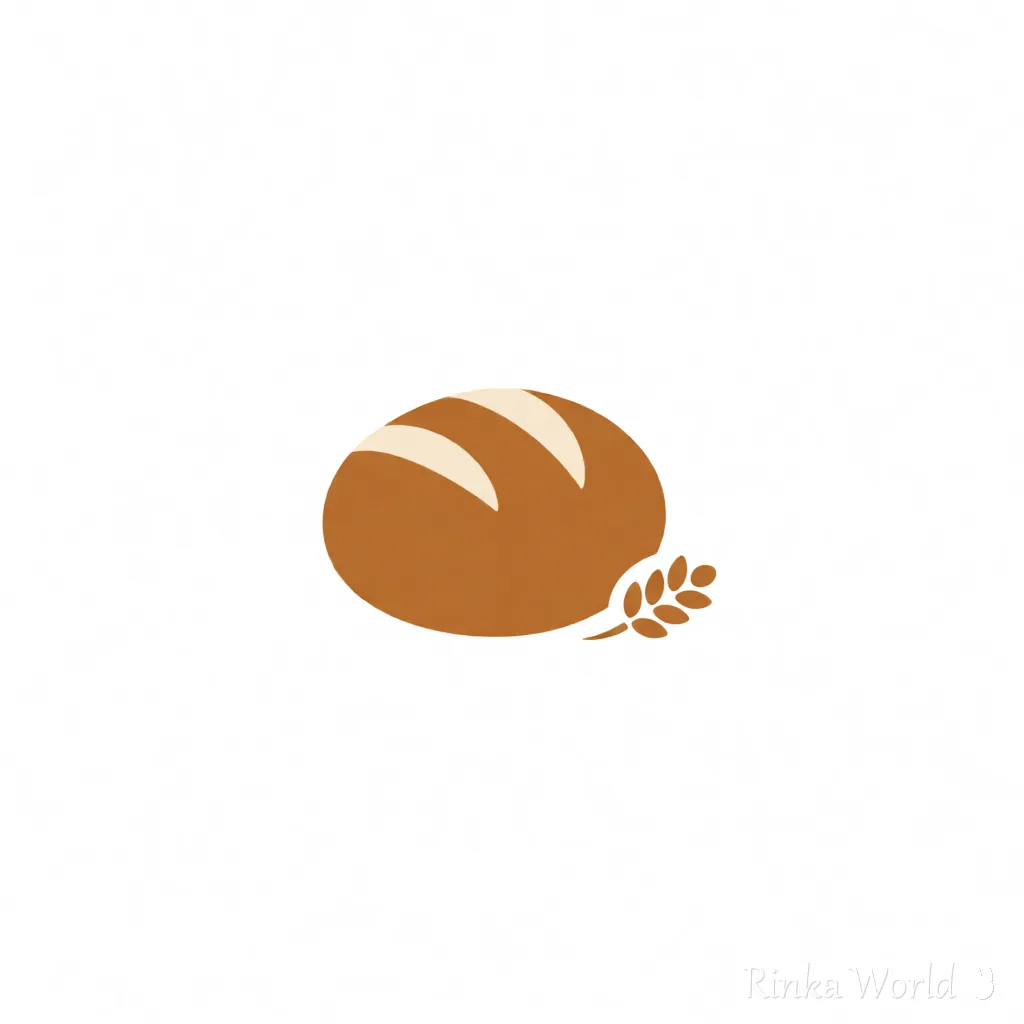
- Ask in the form simple flat logo mark of ..., minimalist, two colors, centered on a white background
- Make several square (1:1) versions and pick one whose shape is still clear when shrunk
- Remove the background of the chosen mark to make it transparent and save it as PNG or close to SVG
- In an image editor, place the shop name beside or below the mark (check the license of the font you choose)
- Check how it looks on a white background, a black background and at a small size
simple flat logo mark of a bread loaf with a small wheat ear, minimalist, vector style, two colors (warm brown and cream), rounded shapes, centered on a white background, no textminimalist logo mark of a cute rabbit face made of simple circles, flat design, one accent color pink, thick clean outline, centered on a plain white background, no lettersCan AI put the text in the logo?
Short English words sometimes work, but spelling and letter shapes break easily, so adding text later is recommended.
Some image generators are said to be good with text, but long names and non-Latin text still break often. A logo is used again and again, so it is safer to set the text with an accurate font. When asking the AI, write no text and no letters so it makes only the mark. The text-rendering guide covers this in more detail.
How to add text to AI images and fix garbled letters: How to Put Text in AI Images (Prompts That Avoid Garbled Text, and Adding It Later) →
How do you choose the logo's colors and shape?
The basics are two or three colors and one motif. Deciding colors that fit the shop or work first cuts down on remakes.
Rinka's tips
- Logos are often used small; shrink yours to about 32 pixels to check the shape is still clear
- Shadows, gloss and gradients look messy when small; write flat for flat coloring
- To match your site's colors, look up the current HEX values with a color palette extractor, then write the nearest color names
What are the common AI logo mistakes and fixes?
What should you watch when using an AI-made logo?
Before use, check the terms of the generation service and whether similar trademarks are registered. Rules can change, so always confirm with official sources.
- Each generation service has rules on whether its images can be used commercially (sometimes different by plan)
- Avoid shapes that resemble famous brand logos, and do not ask for something in the style of a named brand
- If you want to register it as a trademark, consult a professional or the official office, including how AI-made works are treated
- Keep the original file at a large size and shrink or compress copies for each place you use it
How to make the mark's background transparent: How to Make an AI Illustration Background Transparent (Steps, White Edges, File Formats) →
To make a character icon for social media instead of a logo: Icon Prompts: Making Square Close-Up Avatars for Social Media →
How to choose an AI image service that suits logo making: AI Image Generators Compared (How to Choose by Type) →
FAQ
Frequently Asked Questions
What prompt works well for making a logo with AI?
The form simple flat logo mark of (motif), minimalist, two colors, centered on a white background, no text works well. One motif and two or three colors give a logo whose shape is clear even when small.
Can I include the shop name in the logo?
Short English words sometimes appear, but the spelling breaks easily. Make only the mark with AI and add the text later with a font for reliable results.
Can I use an AI-made logo commercially?
It depends on the terms and plan of the generation service you used. Rules can change, so check the official terms before use. Searching for similar trademarks is also wise.
What size should I make the logo?
Make it large and square (1:1), then shrink it for each use. Always check that the shape is still clear when shrunk.
RINKA WORLD
Play in Rinka World
MORE




