PROMPT GUIDE
How to make a VTuber standing avatar with AI (front view and expression variants)
A streaming avatar is different from an ordinary illustration: it stays on screen for hours and switches expressions. It matters that the character does not drift, the background is easy to remove and the expressions are easy to change. This guide covers framing and prompts for VTuber-style standing images made with AI, and how to make expression variants.
Last updated: approx. 3 min read
The short answer
When making a VTuber standing image with AI, generate the character facing front with arms down, from the waist up or full body, on a plain background, because that is easy to cut out and easy to animate. Make expression variants (smile, surprise, worried) by fixing only the face of the same image so the character does not drift. Remember that a moving avatar (such as Live2D) needs the art split into parts.
How do you make a VTuber standing image with AI?
Generate a front-facing, arms-down character from the waist up or full body on a plain background, then remove the background and add expression variants.
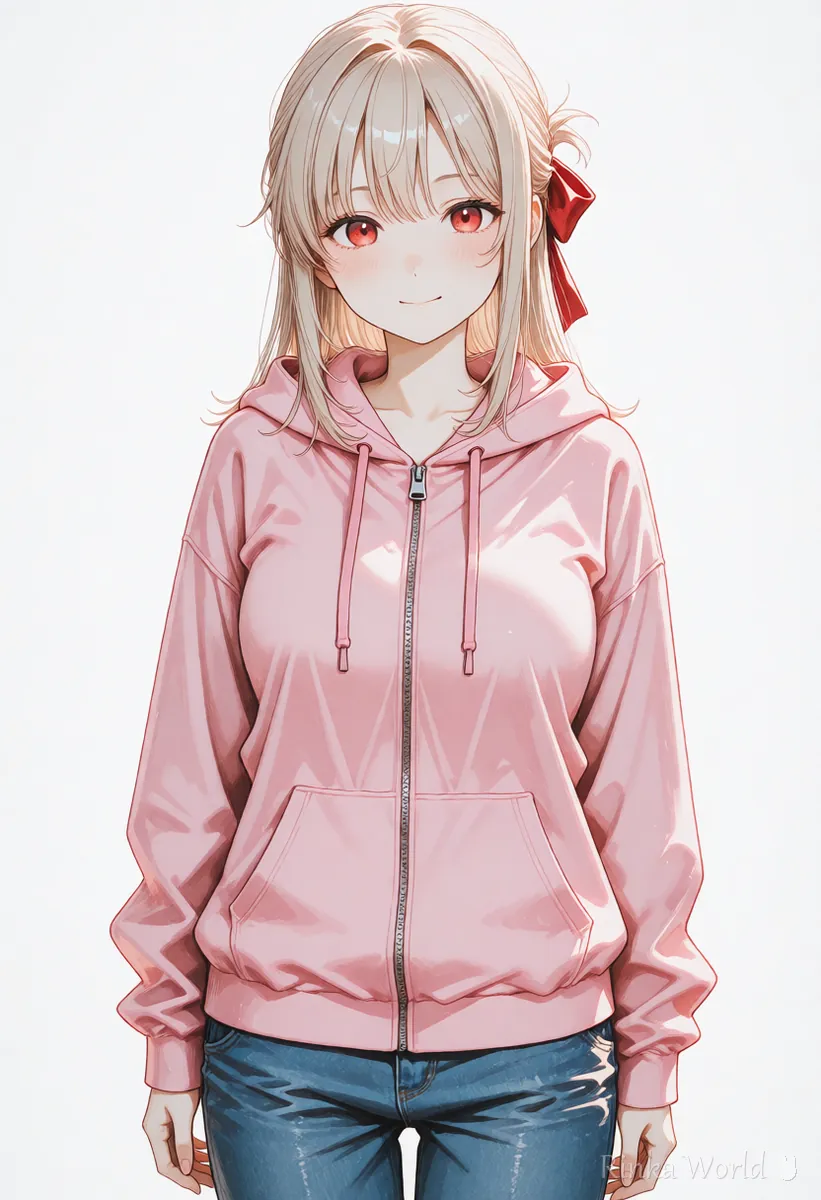
On a stream, the avatar usually sits at the edge of the screen alongside the game and chat. Side-facing poses or poses with big arm movements tend to fit poorly on screen. Making your first image front-facing, standing straight with hands at the sides or lightly clasped in front makes it easy to fit any stream layout.
What are the steps to make a VTuber standing image?
Steps to make a VTuber standing image with AI
- Decide the character's design (hairstyle, hair color, eye color, outfit, accessories) and write it as one fixed line
- Generate several front-facing, arms-down images from the waist up or full body on a plain background
- Choose one with no broken face, hands or clothes as your base image
- Remove the background of the base image and save it as a transparent PNG
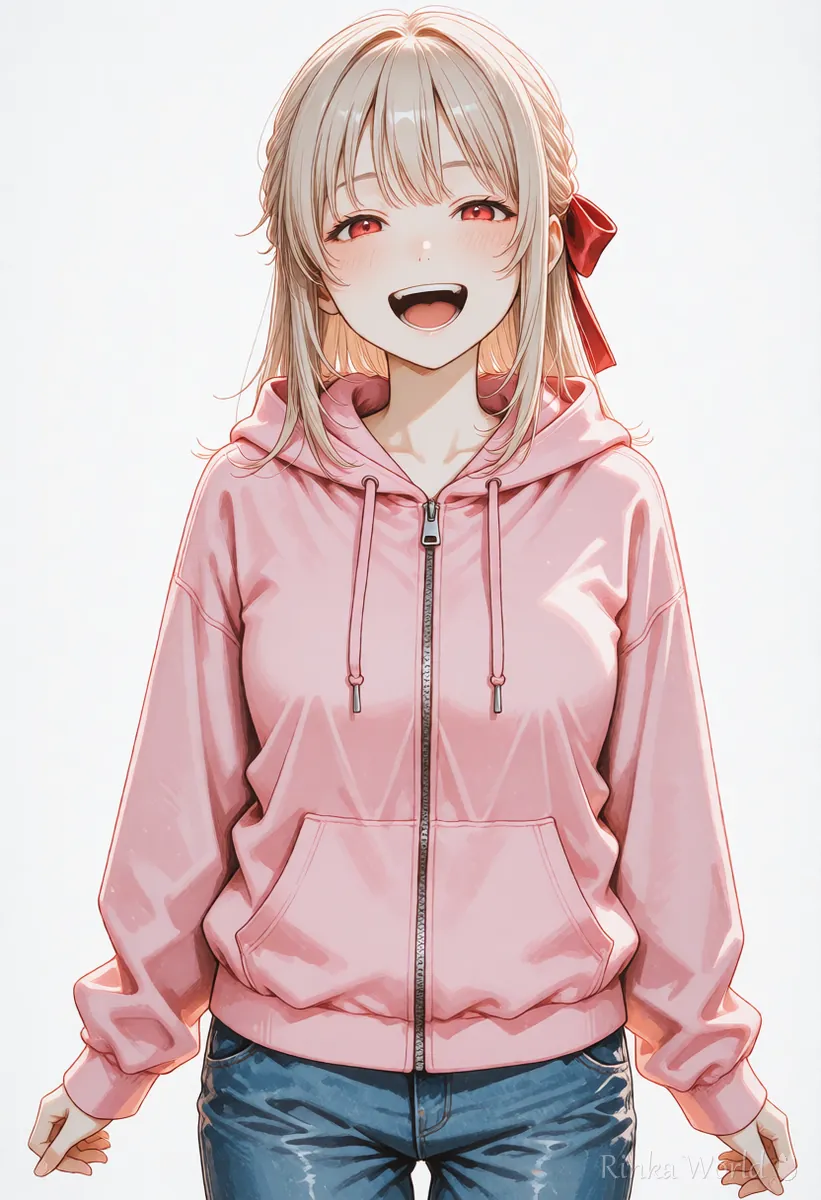
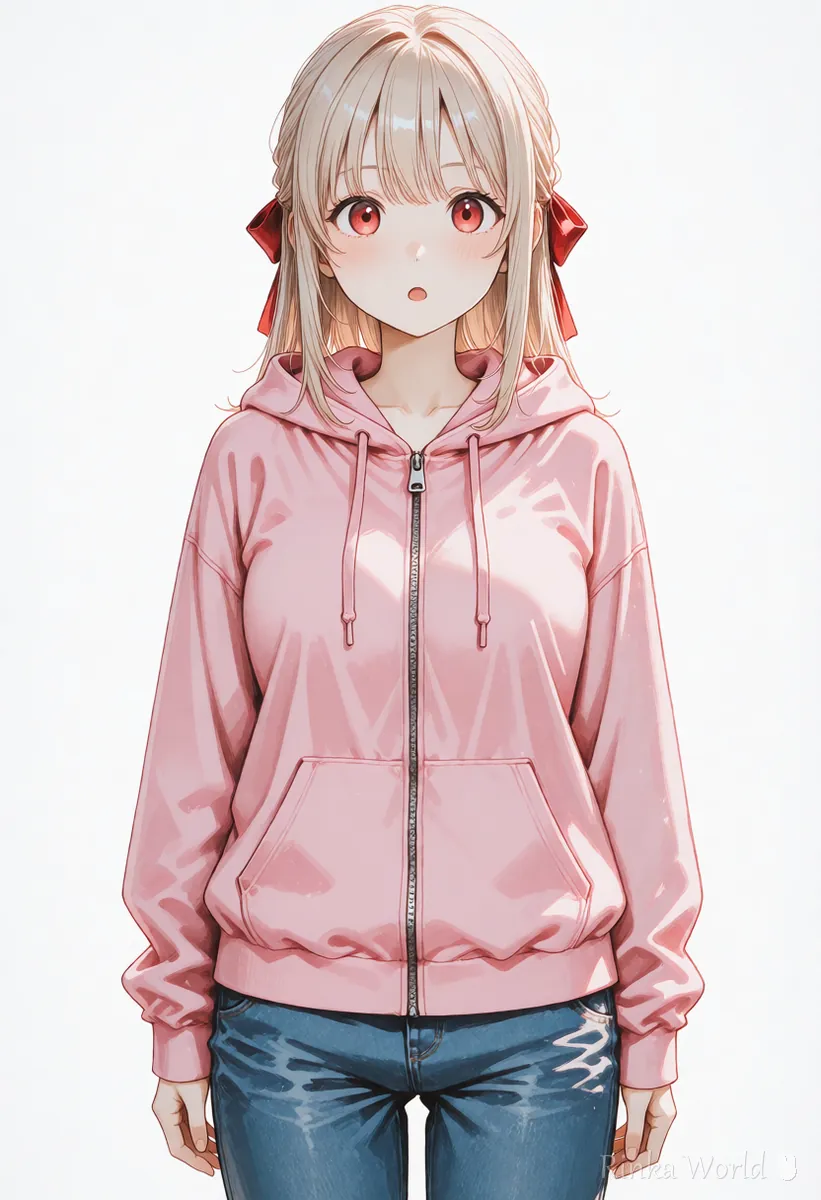
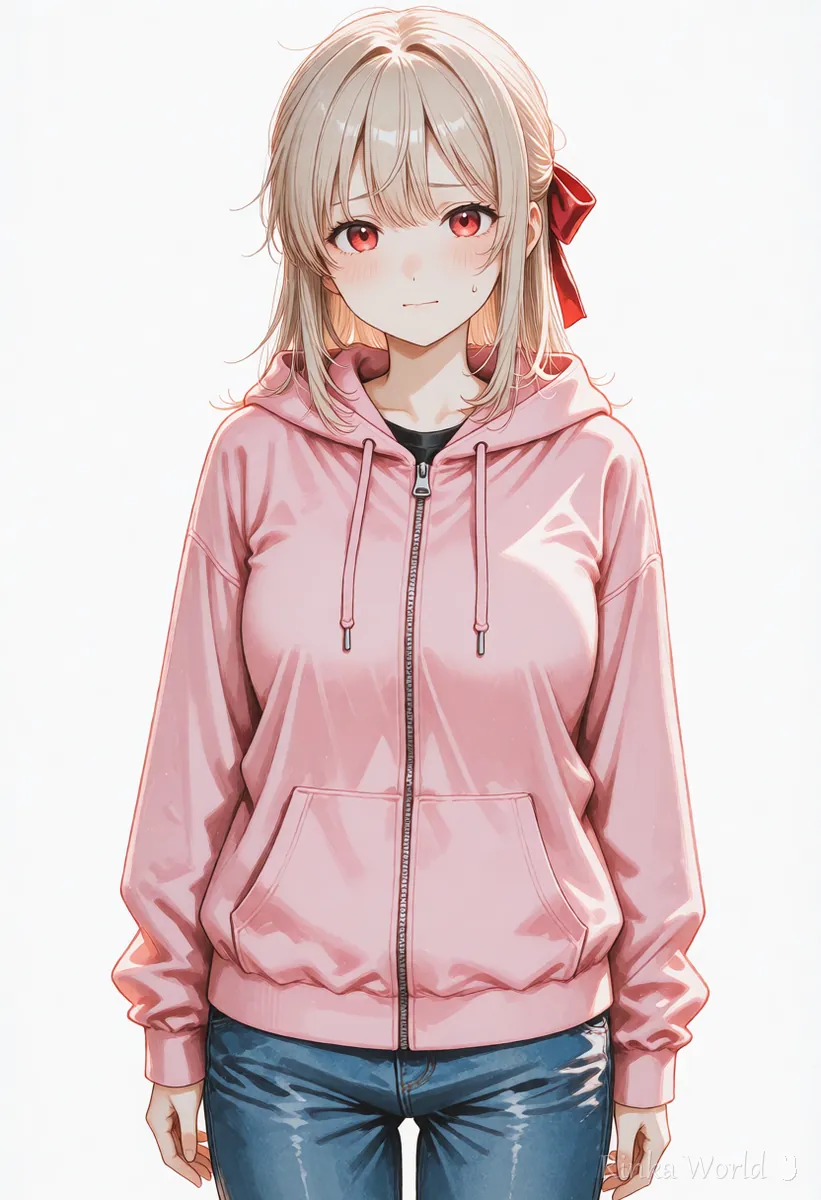
- Fix only the face of the same image to make variants such as smiling, surprised and worried
- Place it in your streaming software, set the size and position, and switch variants as you stream
1girl, solo, standing, facing viewer, looking at viewer, smile, arms at sides, cowboy shot, long hair, hair ribbon, hoodie, simple background, white backgroundan anime girl standing and facing the viewer with a gentle smile, both arms relaxed at her sides, shown from the thighs up, wearing a pink hoodie and a red hair ribbon, on a plain white backgroundHow do you make expression variants?
Fix only the face of the same standing image. Making each one from scratch shifts the clothes and hair so it looks like a different character.
Rinka's tips
- Make variants by masking and redrawing only the area around the face (inpainting) so the clothes and hair do not shift
- Write the character description in the same order with the same words every time; changing even one word shifts the look
- A moving avatar (such as Live2D) needs art split into parts such as eyes, mouth and hair
Tips for keeping the same character across many images: How to Keep the Same Character in AI Art (Face, Hair and Outfit) →
What are the common standing image mistakes and fixes?
What should you watch when streaming with an AI avatar?
Check the generation service's terms to see whether you may use the image for streaming, monetization and merchandise. Rules can change.
- Do not make the look resemble existing VTubers or anime characters
- Check each streaming platform's official guidelines for how AI works are treated and labeled
- Keep both the original large image and the transparent PNG
How to make the standing image's background transparent: How to Make an AI Illustration Background Transparent (Steps, White Edges, File Formats) →
To decide the character design first: How to design characters with AI (concept, colors and silhouette) →
To turn the standing image into a lip-sync video: How to Make a Lip Sync Video With AI →
FAQ
Frequently Asked Questions
What framing suits a VTuber standing image?
A front-facing image with arms down, from the waist up (cowboy shot) or full body, is recommended. It fits easily at the edge of a stream layout and the background is easy to remove.
My character changes when I make expression variants.
Do not make each one from scratch; fix only the area around the face of the base image. The clothes and hair stay put and only the expression changes.
Can an AI standing image be animated as it is?
A single image cannot become an avatar that moves its body or eyes (such as Live2D). You need separate work to split it into parts such as eyes, mouth and hair.
Can I monetize streams that use an AI avatar?
It depends on the generation service's terms and the streaming platform's rules. These can change, so check the official terms before use.
RINKA WORLD
Play in Rinka World
MORE




