PROMPT GUIDE
How to Make a Storyboard for AI Video (cut planning and one action per shot)
An AI video can only be made in short lengths at a time, so you often join several shots into one video. That is why deciding, in a storyboard before you make anything, which shot shows what cuts down on needless remaking. This guide covers how to think about and write a cut plan.
Last updated: approx. 3 min read
The short answer
Build an AI video storyboard from three kinds of shots, wide, medium and close, and put only one motion in each shot. Deciding each shot's picture and prompt beforehand makes it easier to keep the face and outfit consistent and the joins more natural.
Why does AI video need a storyboard?
The length you can make at once is short, so deciding a role for each shot gives a natural flow when you join them.
The length of one shot and the limit on how many times you can join them change by service. After checking the official guidance, work backward from the number of shots you can use to make the storyboard.
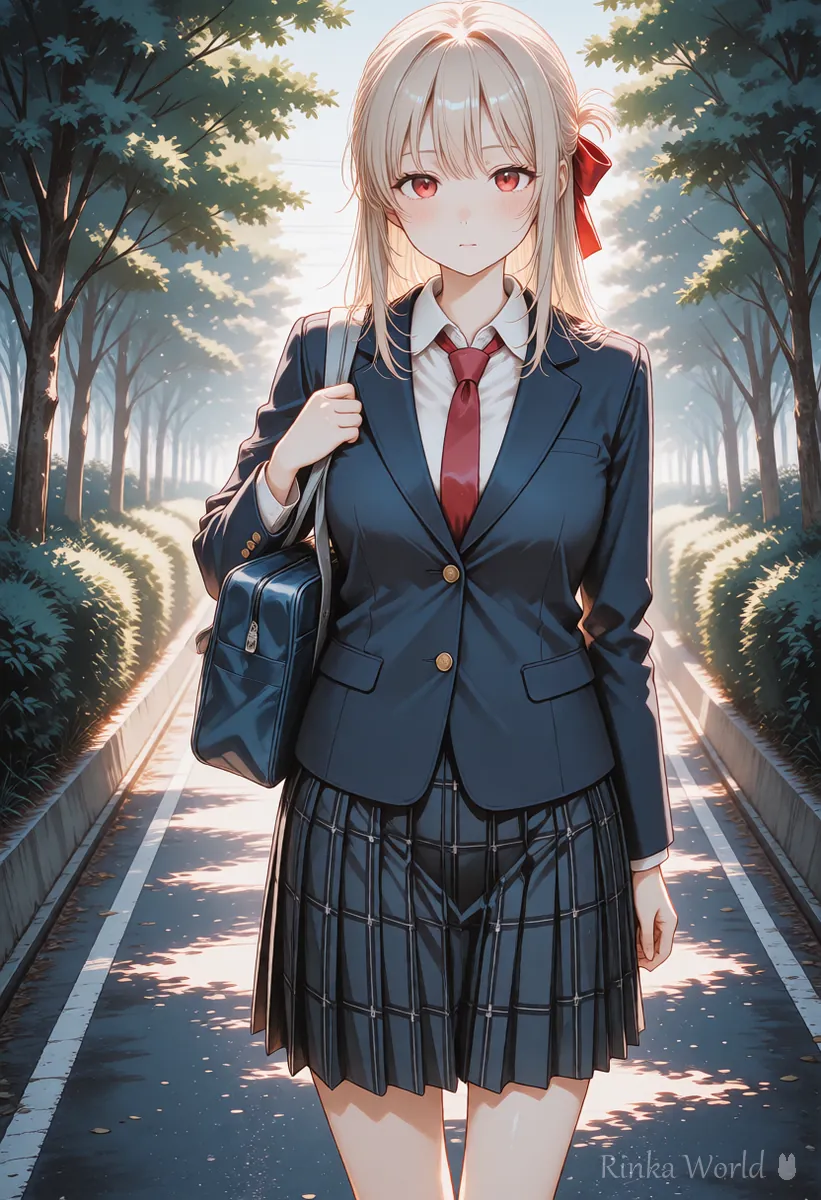
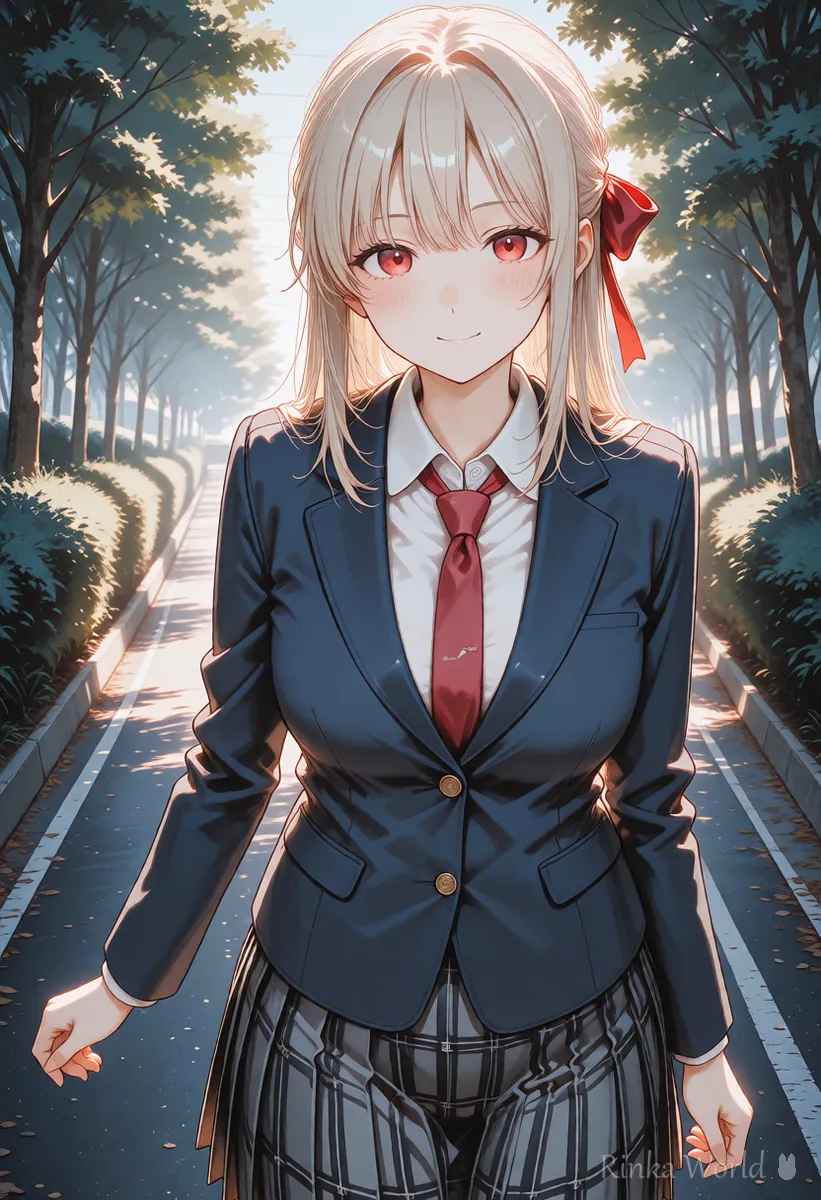
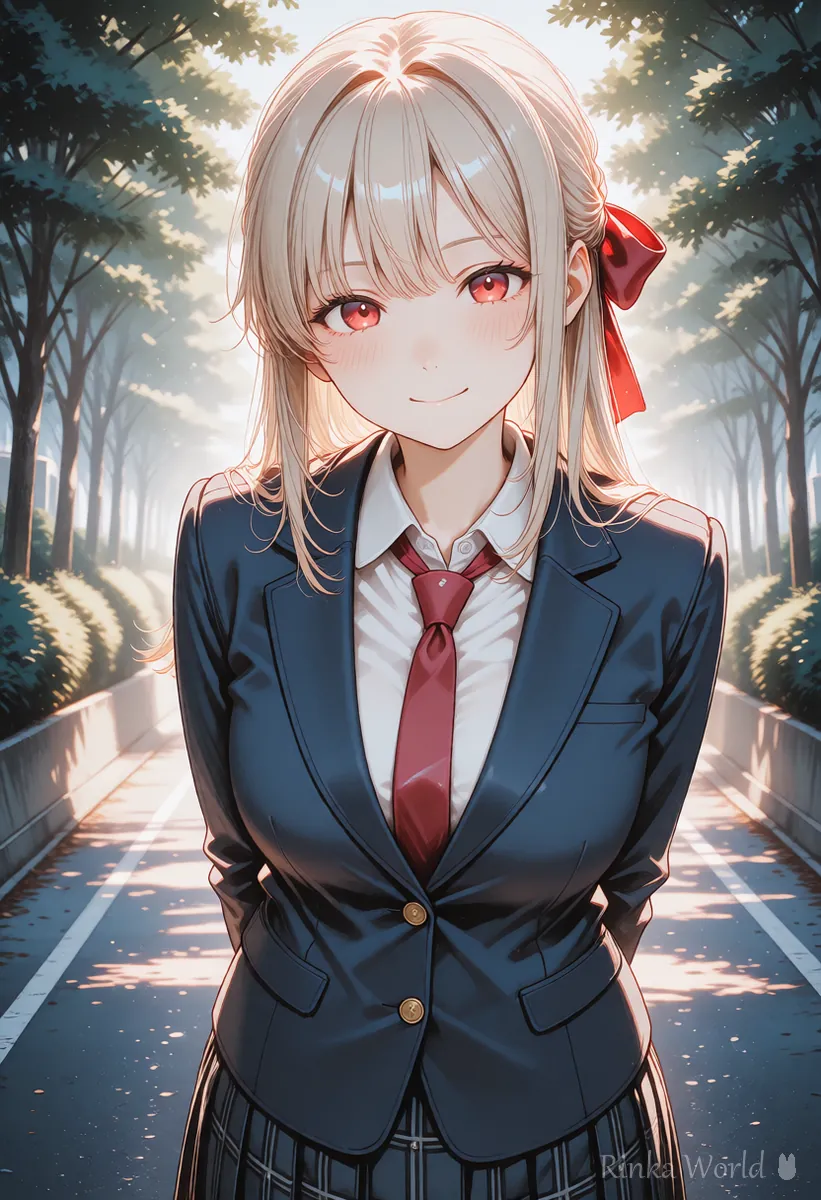
How do you make a storyboard? (steps)
Split the whole flow into three to five shots, and write one line for each shot: what it shows, the motion and the camera.
Steps for making an AI video storyboard
- Decide in one sentence what you want to show overall (for example, she smiles on the school road in the morning)
- Split it into three to five shots and assign roles in the order wide, medium, close-up
- For each shot, write in one line what it shows, the motion (just one) and the camera (static or a small move)
- Make the first picture of each shot with the same character, outfit and place
- Make each shot, remake any whose face or outfit drifted from the standard, and line them up
Tips for keeping the character consistent across several shots How to Keep a Character's Face and Outfit the Same in AI Video (consistency tips) →
What is the one-action-per-shot rule?
Keeping to the rule of putting only one motion in a single shot makes the face and hands less likely to break.
Cut 1: Wide shot. The girl walks slowly along a quiet school road in the morning. Static camera.Cut 2: Medium shot. She walks toward the camera, one arm swinging gently. The camera slowly pushes in.Cut 3: Close-up. She smiles softly and looks at the viewer. Static camera, soft morning light.How do you make the joins between shots natural?
Matching the end of one shot and the start of the next with a similar composition and motion makes the join look natural.
- Use the last picture of the previous shot as the first picture of the next shot
- Go from wide to close in steps, one at a time (wide, then medium, then close-up)
- When changing the scene, put in a fade to black or a shot of only scenery between them
- Smooth the joins with sound or background music (how to add sound is in a separate guide)
How to join with the last picture to make a longer video How to Make AI Videos Longer (Extend, Chain, Last Frame) →
How to join with background music and sound effects How to Add BGM and Sound Effects to AI Videos →
What if the shots do not join well? (common failures and fixes)
How do you write the storyboard notes?
A short one-line note per shot is enough. Writing the following items in the same order makes them easier to look back at later.
Rinka's tips
- When you review the finished video, compare it with the storyboard and check that the motion and order have not changed
- You do not need to make the storyboard perfect from the start; it is fine to fix it each time you make one shot
- A storyboard does not have to be text only; a memo that lines up simple pictures or photos is enough. It does not have to be a finished picture as long as the composition is clear
- Showing the place in a wide picture for the first shot and leaving a lingering feeling with a close-up for the last gives even a short video some substance
How to write the prompt for each shot How to Write AI Video Prompts (Motion, Camera and Time) →
Examples of structure for short videos How to Make Vertical Short Videos (9:16) with AI →
FAQ
Frequently Asked Questions
About how many shots should an AI video have?
Three to five shots is an easy guide to work with. The length you can use and how you join shots change by service, so check the official guidance before deciding.
Can I make a storyboard if I cannot draw?
Yes. Even a text memo with one line each for wide, medium and close-up plus the motion helps with planning the cuts.
Can I put several motions in one shot?
We do not recommend it. The more motions, the more easily the face and hands break, so keep it to one motion per shot.
How do I decide the order of the shots?
The basic flow is to show the place in a wide shot, the motion in a medium shot and the expression in a close-up. Ending on a wide shot to leave a lingering feeling is another approach.
RINKA WORLD
Play in Rinka World
MORE




