PROMPT GUIDE
How to Choose an AI Video Aspect Ratio (16:9, 9:16 and 1:1)
In AI video, the aspect ratio you choose first changes how you build the composition and how it looks where you post it. This guide covers when to use 16:9, 9:16 and 1:1, steps for matching the source picture to the video ratio and fixes for when the edges get cut off.
Last updated: approx. 3 min read
The short answer
Decide the AI video aspect ratio first, to match where you will post it. As a guide, 16:9 for landscape, 9:16 for vertical short videos and 1:1 for square. Cropping the source picture to the same ratio before loading it makes edges less likely to be cut off or margins to be filled in.
How do you decide the aspect ratio of an AI video?
Decide the aspect ratio before you make the video, to match where you post it and the screen it will be viewed on.
The aspect ratios you can use and the recommended ratio for each social network change with service updates. Check each service's official guidance before posting.
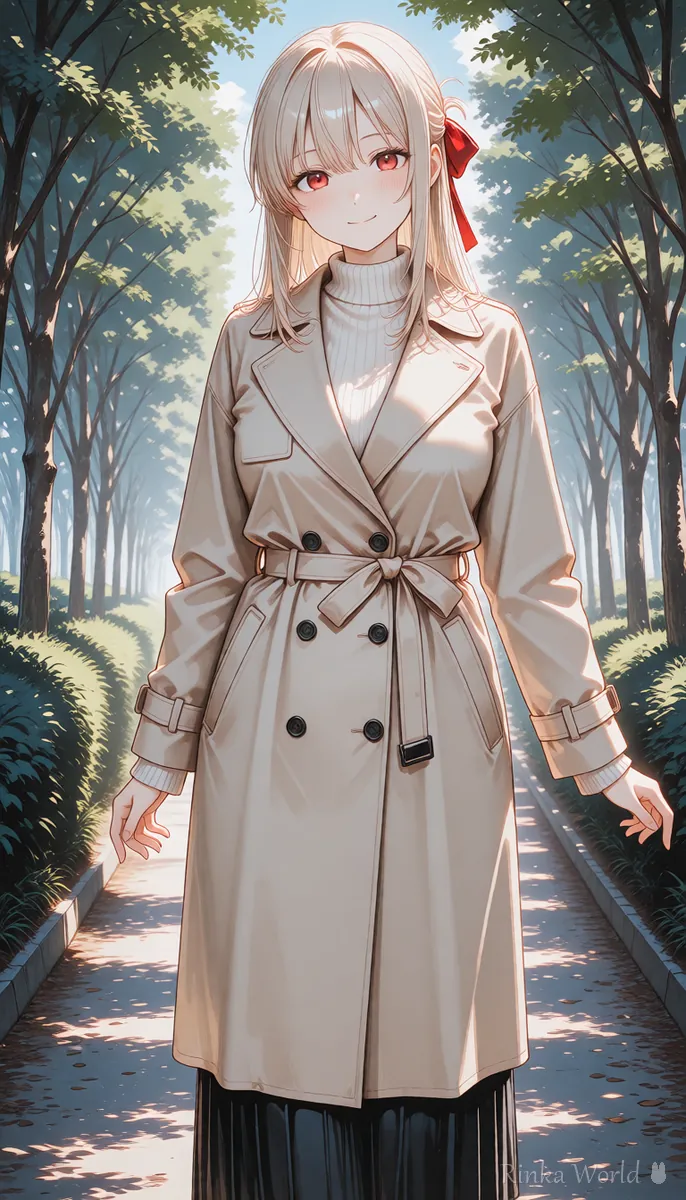
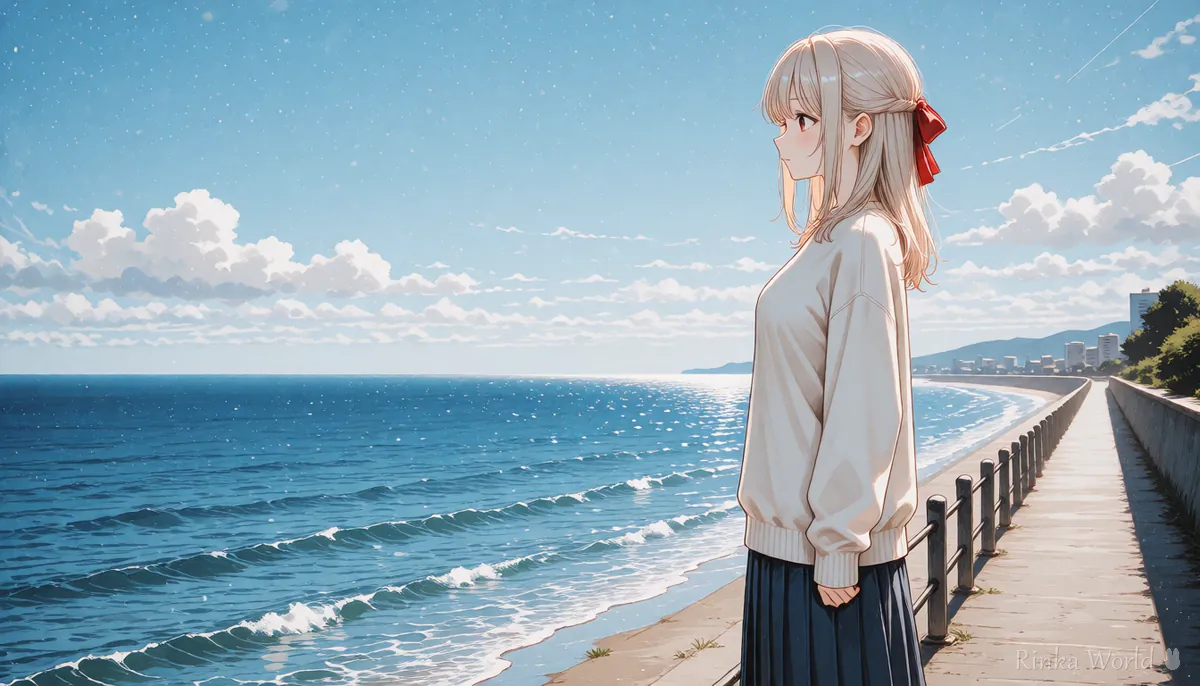
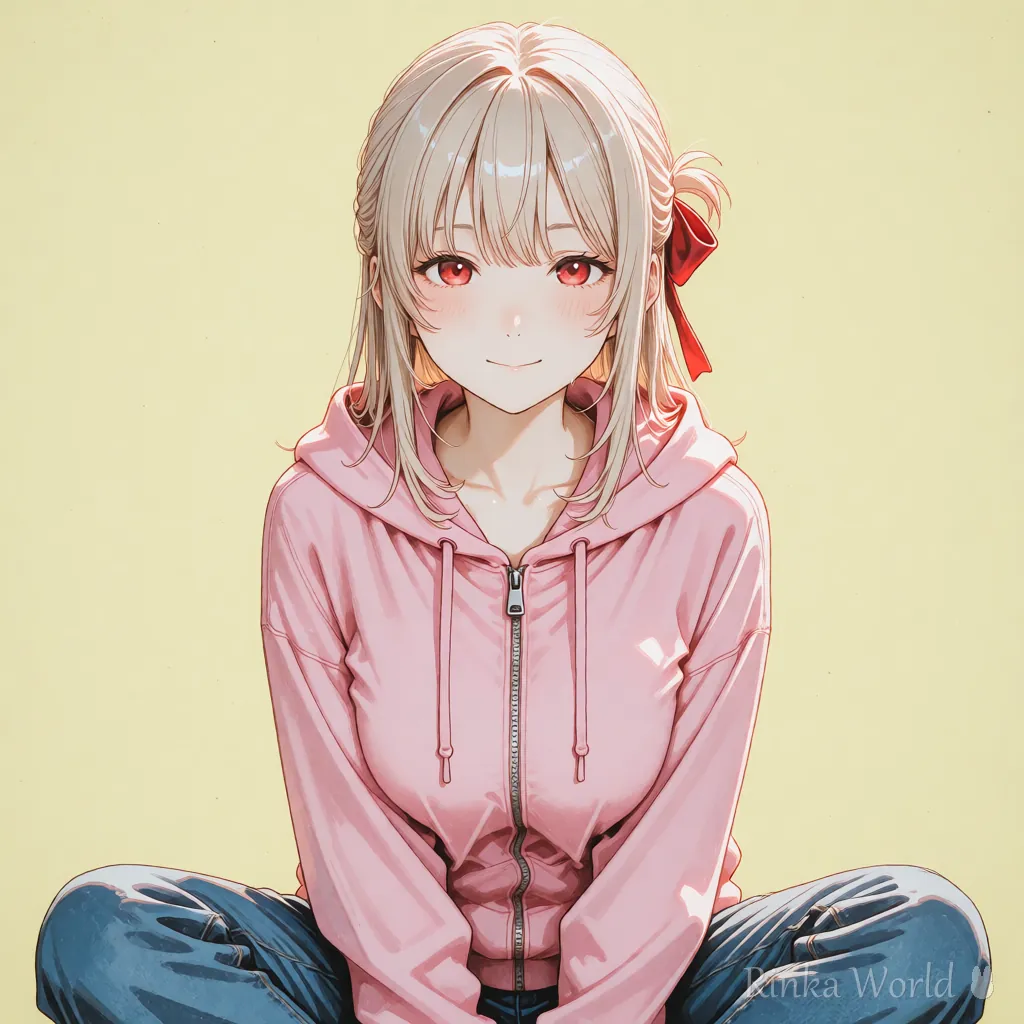
How do you crop the source picture?
For image-to-video, crop the picture to the same aspect ratio as the video before loading it.
Steps for matching the aspect ratio and making a video
- Decide where you will post, and decide the aspect ratio (16:9, 9:16, 1:1 and so on)
- Make the first picture in the same aspect ratio, or crop it to match
- Check whether the face or important things are pushed to the edge of the frame (the edges tend to get cut off)
- Match the aspect ratio setting of the video generator to the same ratio as the picture
- Export it and check how it looks on the screen of where you post
How does the composition change with the aspect ratio?
Portrait makes it easy to build a composition with a large person, and landscape one with a broad background.
- Portrait (9:16): include the whole body and leave space above, which makes it easy to add captions or text
- Landscape (16:9): move the person to one side and put wide scenery on the other
- Square (1:1): put the face or upper body in the center and keep the background simple
Vertical 9:16 video. The girl stands in the center and her long hair sways gently in the breeze. Static camera.Wide 16:9 video. The camera slowly pans right across the seaside while the girl stands still. Calm mood.How to make vertical short videos How to Make Vertical Short Videos (9:16) with AI →
What if the edges get cut off or margins appear? (common failures and fixes)
How do you adjust the prompt for each aspect ratio?
Adding a short phrase about the composition to match the aspect ratio stabilizes the position and size of the person.
How well composition words work differs by service. Make a few and choose the one closest to your intent.
Rinka's tips
- View the exported video on both a full phone screen and a computer, and check that the edges are not cut off
- For a video where you plan to add text or captions, use a composition that leaves a little space above and below the frame
- If you are unsure, decide on just one ratio to use where you post at the start, and make only pictures in that ratio, and you will fail less
- When you want to use the same scene in both portrait and landscape, making a separate picture for portrait often looks better than making it landscape and cropping it to portrait
A quick reference table of still picture resolutions and ratios SDXL Resolutions (Recommended Sizes) and How to Pick a Ratio →
The basic steps for making a video How to Use Image-to-Video AI (Steps to Animate a Still Image) →
FAQ
Frequently Asked Questions
What is the recommended aspect ratio for AI video?
It is decided by where you post. As a guide, 16:9 for a landscape video, 9:16 for a phone short video and 1:1 for a square feed. Check each service's recommendations in its official guidance.
Can I turn a 16:9 video into 9:16?
You can crop it to portrait, but the left and right are cut off heavily and the person may get small. Remaking it for portrait looks cleaner.
What happens if the picture and video have different aspect ratios?
The edges may be cut off, or margins may be filled in automatically. Match them to the same ratio before using them.
Can I change the aspect ratio later?
You can crop it in video editing software, but the quality and composition change. It is safer to decide before you make it.
RINKA WORLD
Play in Rinka World
MORE




