PROMPT GUIDE
Selfie Prompts (Selfie and Holding-a-Phone Compositions)
A selfie composition, handy for social-media-style pictures and everyday scenes, comes out with a single tag: selfie. Its weak point is that the hand holding the phone breaks easily. This guide collects the tags that make it look like a selfie and tips for drawing it without broken hands or phones.
Last updated: approx. 3 min read
The short answer
Selfie prompts are based on the selfie tag, which gives a composition shot with the arm stretched out from slightly above. Use holding phone to show the phone, and mirror selfie for a selfie in a mirror. Hands and phones break easily, so a composition where the end of the arm leaves the frame is the most stable.
What is the selfie prompt? (selfie)
Adding selfie gives a composition where she photographs herself with her arm stretched out.
selfie is the tag for a photo you take of yourself. Adding it tends to give a slightly high angle looking down, a distance where the face is large, and one arm reaching toward the front of the frame. To show the phone itself, use holding phone; for a reflection in a mirror, use mirror selfie.
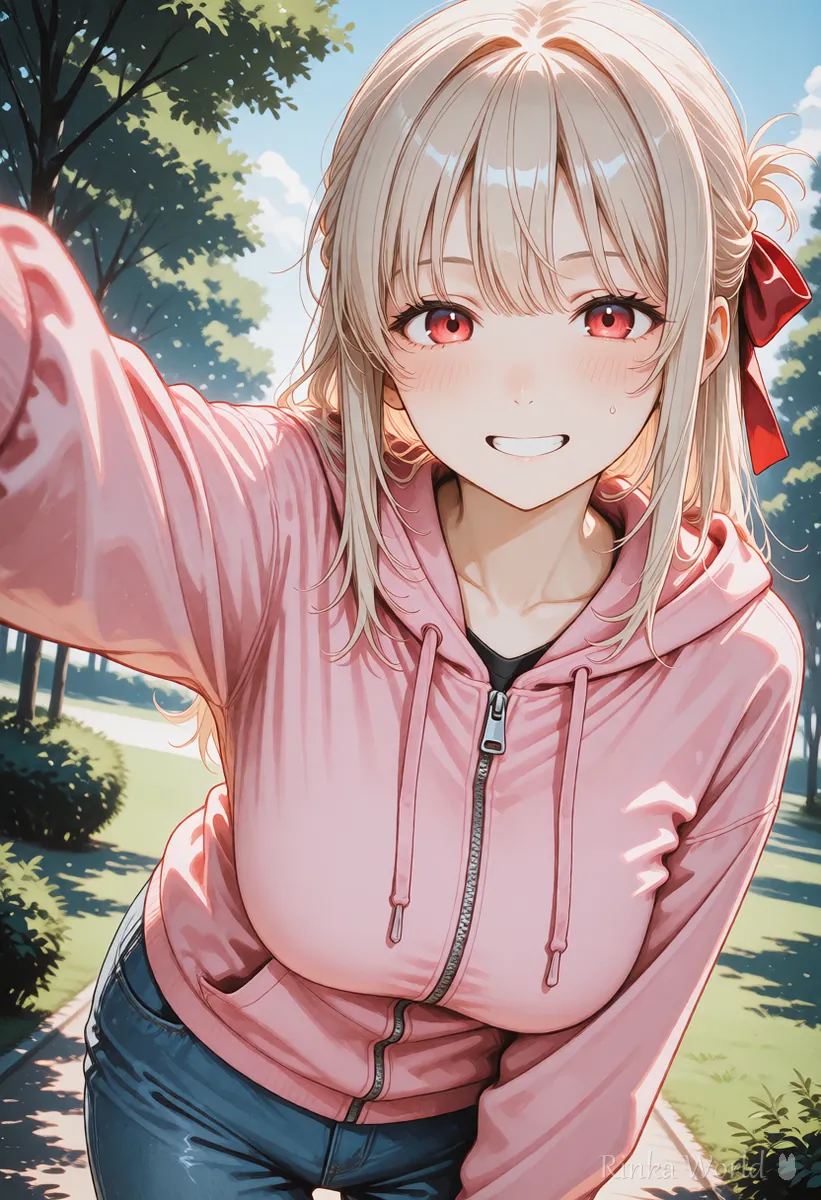
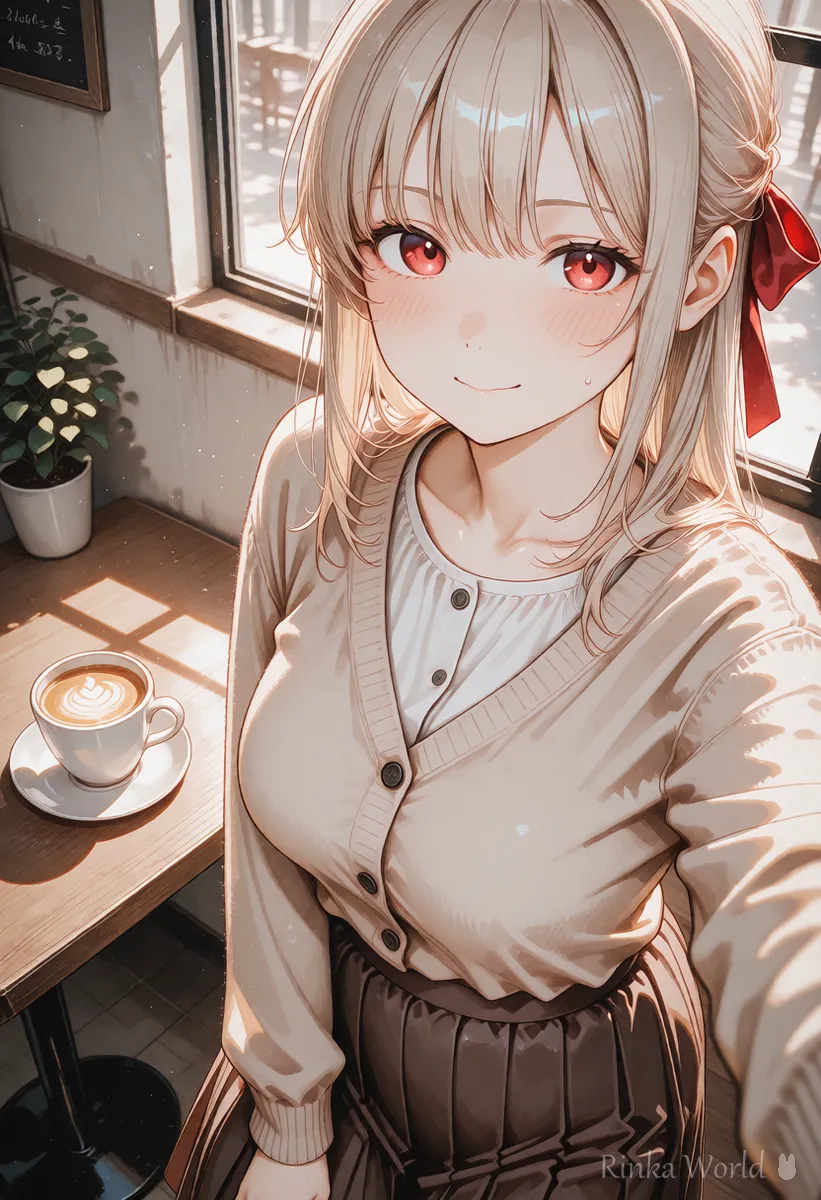
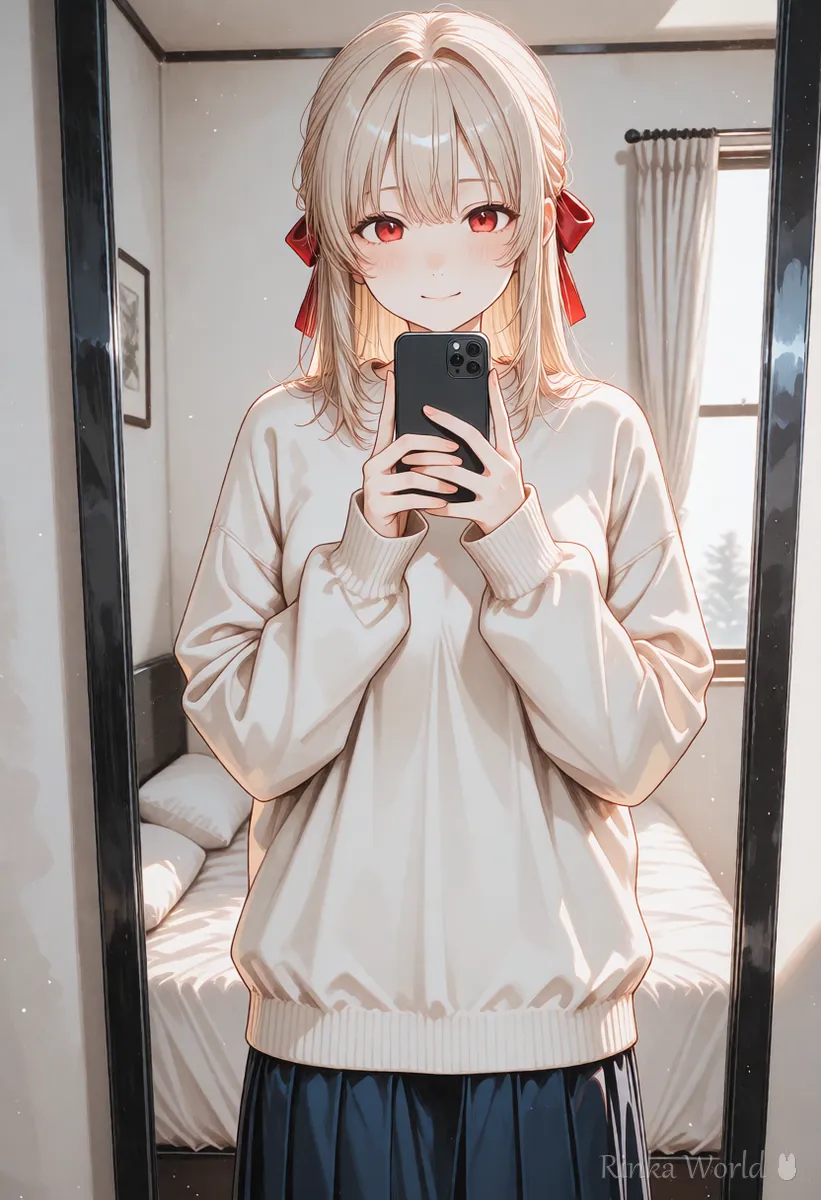

What kinds of selfie compositions are there?
Use three types: the arm-out selfie, the mirror selfie and the selfie without the phone in view.
How do you make a selfie picture?
Steps to make one selfie picture
- Start with selfie and upper body for a composition with a large face
- Decide the angle. Add from above for a typical selfie look
- Set the gaze to looking at viewer, as if looking at the phone beyond the frame
- Add one expression, such as smile, light smile or open mouth
- Add holding phone only if you want the phone in view. Hands break easily, so leave it out when not needed
- Choose the background. A cafe, the city or the sea, places you would post on social media, makes it feel more like a selfie
What if the phone or hand breaks?
The most reliable fix is to put the hand holding the phone outside the frame.
In selfie pictures, the hand holding the phone and the phone's shape are what break most. If the phone does not need to be shown, remove holding phone and keep only selfie and from above; the end of the arm then leaves the frame for a natural selfie. When showing the phone in a mirror selfie, put the phone in front of the chest rather than beside the face, and pull back slightly from upper body so the shapes come out cleaner.
How do you use it for social media icons and posts?
Cropping a selfie-style picture to a square or a 4:5 portrait makes it easy to use for posts and icons.
Selfie pictures show a large face, so they also work well as social media icons. When posting, check first how each network crops the image so the face does not get cut off. How to make face close-ups for icons is explained in the social media icon prompt guide.
Rinka's tips
- A selfie look comes from three things: from above, close, looking at the viewer. With those, it reads as a selfie even without the phone
- Blurring the background (depth of field) gives the feel of a phone photo
- Mirror selfies are harder. Get used to a plain selfie first
Copy-paste templates
Just replace the parts in [brackets]. The first is a selfie without visible hands, the second a selfie in a cafe, and the third a mirror selfie.
1girl, solo, [hairstyle], [outfit], selfie, from above, looking at viewer, smile, upper body, outdoors, depth of field, masterpiece, best quality1girl, solo, [hairstyle], [outfit], selfie, cafe, indoors, cup, light smile, looking at viewer, upper body, masterpiece, best quality1girl, solo, [hairstyle], [outfit], mirror selfie, holding phone, mirror, reflection, bedroom, standing, cowboy shot, masterpiece, best qualityFace close-up prompts for social media icons: Icon Prompts: Making Square Close-Up Avatars for Social Media →
Composition tags such as from above and from below: Composition Prompt Tag List (Framing, Camera Angles, Foreground Blur) →
Fixing broken hands and fingers: How to Fix Bad Hands in AI Art: The Complete Guide →
How to make her hold things other than a phone: Holding Prompts: Holding Objects, Both Hands and Hugging Items →
FAQ
Frequently Asked Questions
What is the prompt for a selfie?
selfie. It gives an arm-out composition, and adding from above and upper body makes it look even more like a selfie.
What is the tag for a mirror selfie?
mirror selfie. Add mirror and reflection, and holding phone so she holds a phone, for a mirror selfie.
The hand holding the phone breaks.
If the phone does not need to be shown, remove holding phone and use a composition where the end of the arm leaves the frame. That is the most reliable fix.
Can I use a selfie picture as a social media icon?
Yes. The face is large, so it suits icons. Crop it to a square and check first how the network crops it.
RINKA WORLD
Play in Rinka World
MORE




