PROMPT GUIDE
How to Write Google Veo Video Prompts
Veo is Google's AI video generator. Some versions can also create sound along with the video (dialogue, sound effects and ambient sound), so you can write "what is heard" in the prompt. This guide explains how to write Veo prompts in the order scene, motion, camera, sound, with examples and fixes. Availability and features change, so check the official site for the latest details.
Last updated: approx. 3 min read
The short answer
Write Veo prompts in the order subject, motion, camera, mood, and for versions that make sound, add what should be heard. Put dialogue in quotation marks and say who speaks, and write sound effects and ambient sound as separate sentences so they do not get mixed up.
What are the basics of a Veo prompt?
Like other AI video generators, Veo prompts are easy to organize in the order subject, motion, camera, mood. For versions that create sound, add "what is heard". Describe the scene in sentences; the more specific, the better your intent comes across.
Steps for writing a Veo prompt
- Decide the scene in one sentence
- Write the subject, the place and one motion
- Write the camera distance (wide, medium, close-up) and movement
- Add the light and time of day
- If sound is supported, write the sounds and dialogue you want to hear. After generating, fix only what is off
How do you add dialogue, sound effects and ambient sound in Veo?
In versions that create sound, putting dialogue in quotation marks and clearly stating who speaks makes it easy to tell apart. Writing sound effects and ambient sound as separate sentences, such as "Sound of ..." or "Ambient noise: ...", keeps them from mixing with the visual description. If you do not want sound, say so, or check the official guidance for a setting that outputs video without sound.
Medium shot in a quiet library. The girl looks up from her book and whispers, "It is already evening." Ambient sound: pages turning and a clock ticking softly. Warm lamp light.What it does: in a quiet library, the girl looks up from her book and whispers a short line, with the sound of turning pages and a softly ticking clock, in warm lamp light.

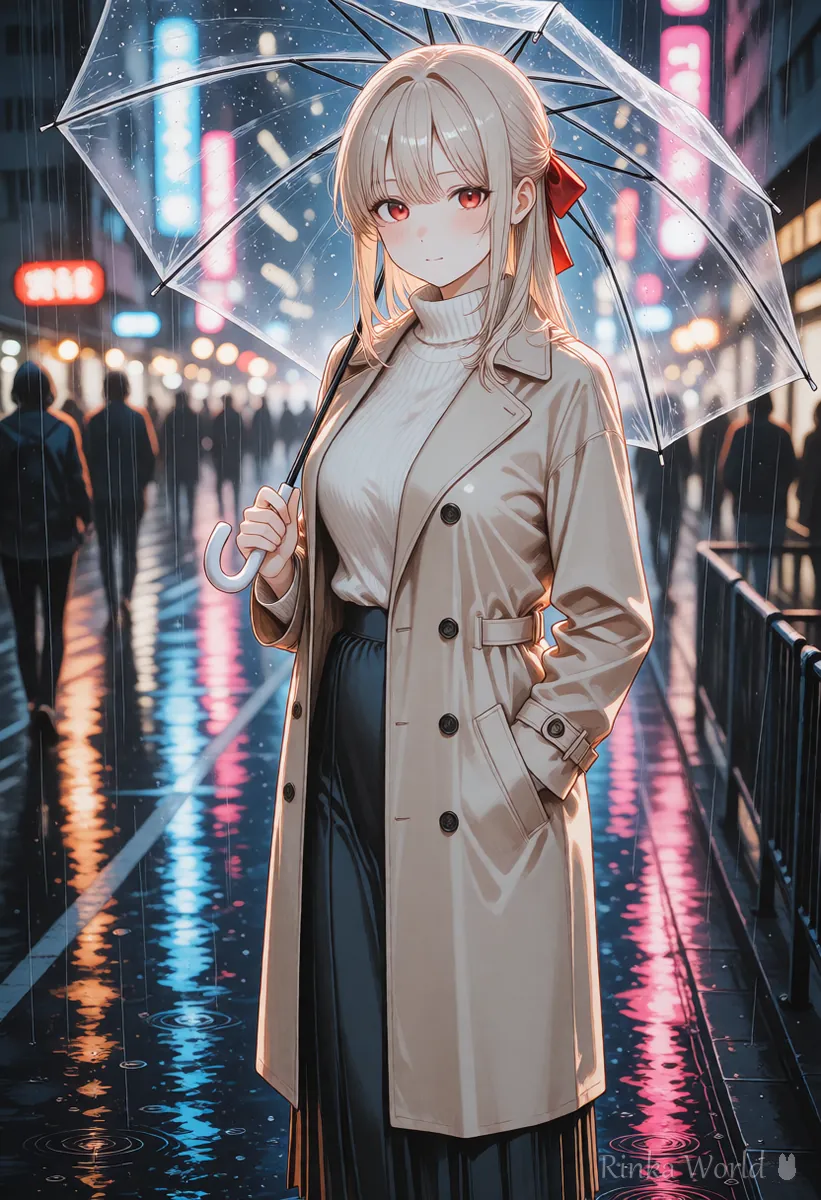

Wide shot of a rainy street at night, neon signs reflected in the puddles. The girl opens a transparent umbrella and starts walking away from the camera. Sound of steady rain and distant traffic.What it does: a wide view of a rainy night street with neon reflected in puddles; the girl opens a clear umbrella and walks away, with steady rain and distant traffic on the soundtrack.
Tips for image to video in Veo
Where you can make video from an image, as with other services, skip the description of the look and write only the motion, camera and sound. When the character speaks, a front or three-quarter picture where the mouth is clearly visible tends to look more natural.
What if dialogue or lip movement is off in Veo?
State who speaks clearly, keep the line short, and use a framing where the face is large.
Rinka's tips
- Keep lines short. Long lines may not fit in a video of a few seconds
- Do not make videos that imitate a real person's voice or appearance
- Available apps, regions, prices and lengths change, so check the official site before use
How do sound instructions compare in Veo? (Quick reference)
Sound comes across better when you write what makes it, how much, and where. Separating the visual sentences from the sound sentences helps both follow the instructions.
Packing in too many sounds makes the dialogue hard to hear. Start with about one line of dialogue and one ambient sound per video. If the sound Veo makes does not fit, rewrite only the sound sentence and generate again, which lets you test without changing the motion. If you add music, also check on the official site that your intended use is allowed by the terms.
For the basics of video prompts: How to Write AI Video Prompts (Motion, Camera and Time) →
For how to write prompts for Sora, which also works from text: How to Write Sora Video Prompts →
For a comparison with other AI video generators: Comparing AI Video Generators and How to Choose →
FAQ
Frequently Asked Questions
Can Veo make videos with sound?
Some versions can create video with audio. Which versions and apps support it can change, so check Google's official guidance.
Can I write Veo prompts in languages other than English?
Other languages may be accepted, but camera and motion instructions can come across better in English. If you want dialogue in another language, try writing only the quoted line in that language.
The mouth movement does not match the dialogue.
Use framing where the face is large and keep the line short. One line of dialogue per video is recommended.
How much does Veo cost and how long can videos be?
It depends on the plan and how the service is offered, so this guide does not list it. Check the official site for the latest information.
RINKA WORLD
Play in Rinka World
MORE




