PROMPT GUIDE
Illustrious and NoobAI Prompt Order
The short answer: the basic order is number of people -> character name -> series name -> art style -> general tags -> quality tags. Illustrious-based models were trained on Danbooru tags in a specific order. That's why simply keeping your tags in a consistent order makes images more stable, even with the same tags. Here's the exact order Rinka normally uses.
Last updated: approx. 3 min read
What is the Illustrious prompt order? (Numbered table)
For Illustrious XL and NoobAI-XL, the basic order is as follows. If the model's download page has a recommended prompt format, follow that first.
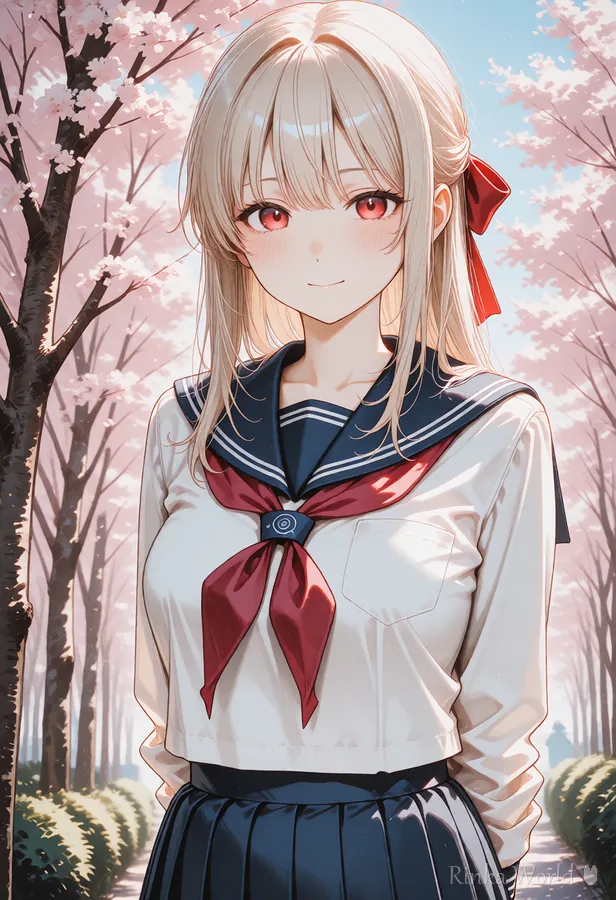
1girl, solo, watercolor (medium), long hair, blonde hair, red eyes, smile, sailor collar, school uniform, standing, cherry blossoms, outdoors, upper body, soft lighting, masterpiece, best quality, newest, absurdres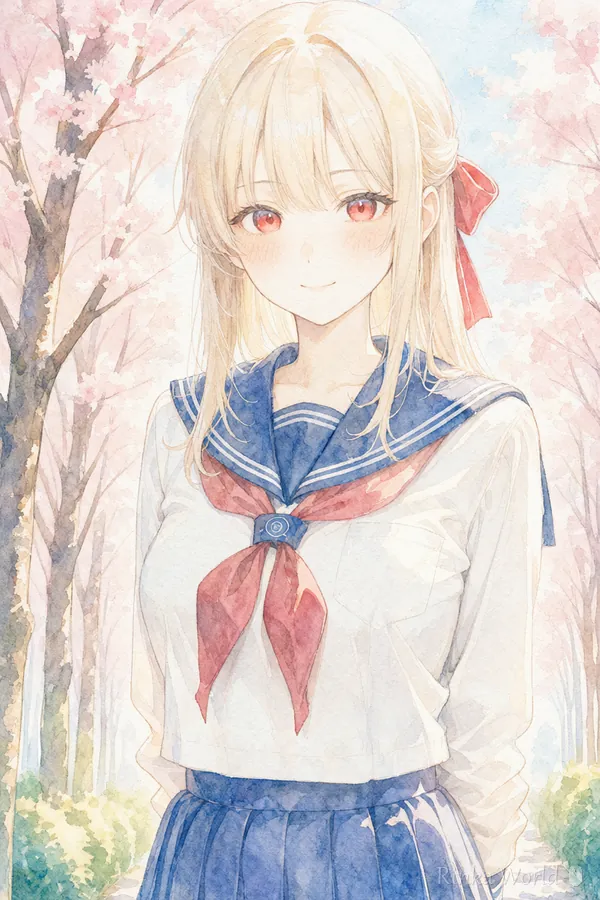
Why does tag order matter?
Images on Danbooru are tagged in the order "number of people, character, series, artist, general tags," and Illustrious-based models were trained in that order. When you write tags in the same order used during training, the model more easily recognizes it as "the usual format," and the tags take effect more consistently.
Also, most models reflect tags near the front more strongly. That's why the most important information, "who is in the picture and how many," goes first.
Rinka's tips
- Always put 1girl and solo first. If the number of people comes later, a second person or extra faces are more likely to appear
- Appearance tags are easier to organize if you go from the top of the body down, like hair -> eyes -> expression
- Stacking tags with the same meaning doesn't make them stronger. To strengthen something, use a weight like (smile:1.2)
Where do Illustrious quality tags go? (Front or back?)
Either works, but with Illustrious and NoobAI models it's common to group them at the end. A long string of quality tags at the front pushes the important people and character tags further back.
Negative prompt order
The negative prompt works the same way: put what you most want to avoid first. Low quality -> parts that tend to break -> elements you don't want is an easy order to keep organized.
worst quality, low quality, lowres, bad anatomy, bad hands, extra fingers, missing fingers, text, watermark, signature, blurryNoobAI prompt tips (order, quality tags, negative prompt)
NoobAI-XL is based on Illustrious, so the order, quality tags and negative prompt format on this page work as-is. The tag order is the same for both the V-Prediction and Epsilon versions.
- Order: put 1girl, solo first. Group quality and year tags (masterpiece, best quality, newest, absurdres) at the end
- Quality tags: start with masterpiece, best quality. Some tags, like very aesthetic, work differently depending on the model
- Negative: the same format as "Negative prompt order" above is fine
- Tags: write in English Danbooru tags (more stable than Japanese)
- For detailed recommendations, check the download page of the model you're using
Copy-paste template
Just replace what's in [brackets]. For an original character, don't write a character name or series name; lock in the character with appearance tags instead.
1girl, solo, [art style], [hair length], [hair color], [eye color], [expression], [outfit], [pose], [location], [time of day / weather], [composition], [lighting], masterpiece, best quality, newest, absurdresWhen things don't turn out right
- Two people appear -> check that 1girl, solo is at the very front. Remove location tags that suggest people in the background (crowd, etc.)
- The outfit isn't what you wanted -> move the outfit tags right after the appearance tags. Narrow similar outfit tags down to one
- The background is too dominant -> reduce background tags and make the character larger with a composition tag (upper body, etc.)
- The face looks inconsistent -> write appearance tags in the same order every time. Fix the seed and compare
FAQ
Frequently Asked Questions
Do I still need masterpiece with Illustrious?
It's not required, but many models are more stable with it. Start by adding masterpiece, best quality at the end, then add or remove tags while watching how they affect the result.
Is the order different between NoobAI and Illustrious?
NoobAI-XL is based on Illustrious, so the basic order is the same. The order also doesn't change between the V-Prediction and Epsilon versions. Check the model's download page for detailed recommendations.
Can I write prompts in Japanese?
Illustrious-based models were trained on English Danbooru tags, so writing in English tags is the most stable. Try finding English tags in this guide's tag lists or the Prompt Library.
RINKA WORLD
Play in Rinka World
MORE




